Choosing the right typeface dictates how an audience perceives a brand before they read a single word. When designers start comparing Helvetica with modern geometric sans typefaces, they are really deciding between two distinct design philosophies. Helvetica offers strict neutrality and a neo-grotesque heritage, while contemporary geometric fonts bring mathematical precision and a friendlier, more approachable tone to digital and print layouts.
What is the actual difference between neo-grotesque and geometric sans?
Helvetica belongs to the neo-grotesque category. Its design focuses on neutrality, featuring uniform stroke widths, horizontal cut terminals, and a high x-height that makes it highly legible at small sizes. The letterforms are tight and objective, designed to disappear into the background so the content can take center stage.
Geometric sans typefaces build their letterforms from basic shapes like circles, squares, and triangles. Fonts like Futura pioneered this style, but modern iterations apply optical corrections to make those perfect circles look right to the human eye. You will usually spot a geometric font by its single-story lowercase "a" and "g", and a perfectly round "o".
When should you choose Helvetica over a geometric typeface?
Helvetica shines in environments that demand pure information delivery. Wayfinding systems, dense editorial text, and legacy corporate identities rely on its unobtrusive nature. It gets out of the way and lets the content speak without adding emotional weight to the words.
Geometric sans typefaces work best when the font itself needs to carry some personality. They are excellent for large headlines, app interfaces, and modern logos. If you are exploring minimalist branding options, a geometric font often provides the clean aesthetic you need without feeling too rigid or overly corporate.
How do they perform on screens and in UI design?
Screen rendering highlights the biggest practical differences between these styles. Helvetica was originally drawn for metal type and later adapted for screens. Its tight letter spacing and closed apertures the gaps in letters like "c" or "e" can cause the text to blur or fill in on low-resolution displays.
Modern geometric sans typefaces are frequently designed with digital screens in mind from day one. Designers looking for a detailed breakdown of screen performance will notice that modern geometric fonts usually feature wider apertures and more generous default tracking. This makes them highly readable in mobile app interfaces and responsive web design.
What are the most common mistakes when pairing these fonts?
The biggest mistake designers make is trying to use Helvetica and a geometric sans together in the same layout. Because their underlying structures are so different, they clash rather than complement each other. Stick to one primary sans-serif family per project to maintain visual consistency.
Another frequent error is setting long paragraphs of body text in a purely geometric font. While the circular letters look beautiful in a massive headline, reading a 1,000-word article in a geometric typeface causes eye fatigue. The uniform stroke width lacks the subtle variations that guide the eye through dense copy. Before committing to a type system, browsing professional geometric alternatives can help you find a font that bridges the gap between structural geometry and neo-grotesque utility.
How can you test which style fits your project?
Making the final choice requires looking past the font specimen sheet and testing the typeface in your actual design environment. Run both styles through a few practical checks to see how they hold up under real conditions.
Quick Typography Testing Checklist
- Check the small sizes: Set a paragraph at 14px and 16px. See if the Helvetica feels too cramped or if the geometric sans feels too wide and disjointed.
- Test the numbers: Look at the numerals in both fonts. Geometric fonts often have beautiful, uniform numbers for pricing tables, while Helvetica offers reliable tabular figures for data.
- Review the italics: Helvetica uses a true slanted italic, which is great for subtle emphasis. Many geometric fonts use a true drawn italic or lack one entirely, which changes how you handle text hierarchy.
- Mock up a real screen: Place the font in a high-fidelity UI mockup. Check how the geometric curves render on a standard mobile viewport compared to Helvetica's straighter lines.
Take your top two choices and build a single, real-world component like a pricing card or a navigation menu. The right choice will become obvious once you see how the letterforms interact with your specific layout and brand colors.
Explore Design Contemporary Geometric Alternatives to Helvetica
 Modern Alternatives to Helvetica's Geometric Form
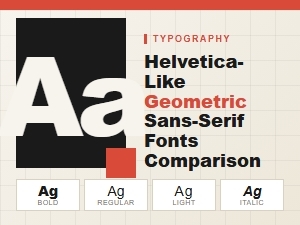 A Guide to Modern Geometric Sans-Serif Fonts
 The Top Modern Geometric Sans Alternatives
 The Rise of Modern Geometric Sans Serifs
 Budget-Friendly Alternatives to the Classic Helvetica