Choosing the right typeface dictates how your audience reads and trusts your message. When designers search for professional geometric sans-serif fonts like Helvetica, they are usually chasing a specific aesthetic: clean, objective, and highly legible. There is a slight typographic catch to keep in mind, however. Helvetica is technically a neo-grotesque typeface, not a geometric one. While geometric fonts rely on perfect circles and straight lines, neo-grotesques focus on uniform stroke widths and a neutral, unemotional tone. People often blend the terms when looking for that crisp, Swiss-style minimalism, but knowing the difference helps you pick the exact right tool for your layout.
What is the actual difference between geometric and neo-grotesque fonts?
Understanding the structural differences will save you from picking a font that looks wrong in practice. Geometric sans-serifs are built on basic shapes. The lowercase "a" is often single-story, and the "o" is a perfect circle. Futura is the classic example of this style. These fonts look highly stylized and modern in headlines but can become difficult to read in long paragraphs because the uniform shapes cause the letters to blur together at small sizes.
Neo-grotesque fonts like Helvetica evolved from earlier grotesque typefaces. They strip away the quirky details and aim for absolute neutrality. The stroke widths are highly consistent, the apertures (the open spaces in letters like "c" and "e") are tight, and the terminals end at horizontal or vertical angles. This makes them incredibly versatile for both UI design and print, as they fade into the background and let the content speak for itself.
When should you choose a neutral sans-serif for your design?
You reach for these clean, professional typefaces when the content needs to take center stage. They are the standard for wayfinding systems, corporate identity, digital interfaces, and data-heavy dashboards. If you are designing a medical app, a financial report, or an airport navigation system, you want a font that feels authoritative and gets out of the user's way.
On the flip side, if you are designing a playful children's brand or a highly expressive editorial magazine cover, a strict neo-grotesque might feel too cold and corporate. In those cases, you might want a typeface with more humanist characteristics or distinct geometric quirks.
Which typefaces actually deliver that clean, professional look?
If your brand needs the structural feel of geometric shapes but requires modern screen readability, checking out the top contemporary choices that update mid-century geometry is a great starting point. Modern designers have tweaked the classic geometric formulas to include larger x-heights and open apertures, making them much better for digital screens.
On the other hand, if you specifically need that objective, invisible voice, browsing typefaces engineered to replicate that exact neutral tone will keep your text highly legible without paying premium licensing fees for the original Swiss classics. Fonts like Inter, Roboto, and Akzidenz-Grotesk offer that same reliable, no-nonsense utility.
Before buying a commercial license, it helps to run a direct visual comparison of the letterforms at different sizes to see how the ink traps and tight spaces hold up on mobile screens. What looks crisp on a 27-inch retina monitor might turn into a muddy mess on a budget smartphone.
What mistakes ruin the readability of clean sans-serifs?
The most common error is pairing two sans-serifs that are too similar. Putting Helvetica next to Arial, or Futura next to Century Gothic, creates visual tension because the letters look almost identical but have slight, jarring differences. If you want to use a clean sans-serif for your body text, pair it with a strong serif for your headings to create clear typographic hierarchy.
Another frequent mistake is ignoring optical sizing. Many professional font families come in specific optical cuts, such as "Display," "Text," and "Micro." Using a Display cut which has tighter spacing and thinner strokes for 12px body text will make your paragraphs look cramped and spindly. Always use the Text or Regular optical size for paragraphs.
How do you format these fonts for digital screens?
Clean sans-serifs need room to breathe. Because their stroke widths are so uniform, they can easily form dense, dark blocks of text that fatigue the reader. You can fix this by adjusting your CSS and layout settings.
- Line height: Set your body text line-height between 1.4 and 1.6. Geometric and neo-grotesque fonts usually require slightly more vertical space than serifs to maintain readability.
- Tracking: Never add positive letter-spacing to lowercase body text. It breaks the natural word shapes our brains rely on to read quickly. Only add tracking to uppercase text, like small navigation labels or subheads.
- Weight: Avoid using the absolute lightest weights for body text on screens. Thin strokes disappear on low-resolution displays or in bright sunlight. Stick to Regular or Medium weights for paragraphs.
- Contrast: Pure black text on a pure white background can cause halation (a glowing effect) on bright screens. Use a dark gray, like #333333, on an off-white background to soften the contrast while keeping it highly legible.
Your final typography checklist
Before you finalize your font choice and push your design to production, run through these quick checks to ensure your typography is solid.
- Verify if you actually need a geometric shape-based font or a neutral neo-grotesque based on your brand's personality.
- Test your chosen typeface at the exact pixel sizes it will be used on your smallest target device.
- Check that the font family includes the necessary weights, italics, and character sets for all the languages your project supports.
- Ensure your line-height and paragraph spacing are defined in relative units (like ems or rems) rather than fixed pixels.
- Confirm your heading and body font pairings have enough visual contrast to guide the reader's eye naturally down the page.
 Contemporary Geometric Alternatives to Helvetica
 Modern Alternatives to Helvetica's Geometric Form
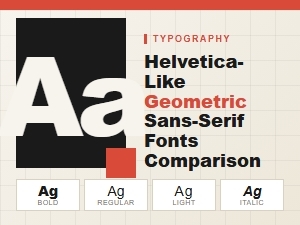 A Guide to Modern Geometric Sans-Serif Fonts
 The Top Modern Geometric Sans Alternatives
 Helvetica Versus Modern Geometric Sans Typefaces
 Budget-Friendly Alternatives to the Classic Helvetica