Helvetica is the default choice for clean, neutral typography, but it is technically a neo-grotesque typeface, not a geometric one. When designers search for the best geometric sans-serif alternatives to Helvetica, they usually want to keep that same modern, versatile feel but introduce the perfect circles and uniform stroke widths of true geometric fonts. This shift gives brands a friendlier, more contemporary edge while maintaining excellent readability across digital and print media.
Why swap a neo-grotesque for a geometric sans-serif?
Helvetica relies on subtle stroke variations and angled terminals inherited from 19th-century sign painting. Geometric sans-serifs build their letterforms from basic shapes like circles, squares, and triangles. If your project feels too rigid or corporate with Helvetica, moving to a geometric typeface softens the visual tone. You can see this clearly when looking at the structural differences between these styles, especially in letters like the lowercase 'a' and 'g'. Geometric fonts usually use a single-story 'a' and a more circular 'o', which creates a highly approachable aesthetic for tech startups, apps, and lifestyle brands.
Which geometric typefaces actually work as Helvetica replacements?
Not every geometric font can handle the heavy lifting that Helvetica does. Pure geometric designs often struggle with long paragraphs. You need modern interpretations that include optical corrections for readability. Here are a few strong options from a curated selection of professional typefaces:
- Gotham: Designed by Hoefler&Co, this font brings a distinct American vernacular feel. It is wider and more authoritative than Helvetica, making it ideal for bold headlines and wayfinding.
- Circular: Created by Lineto, Circular is a staple in modern UI design. It blends geometric construction with subtle quirks, giving digital interfaces a warm, human touch without sacrificing clarity.
- Satoshi: A great free alternative that leans slightly toward the neo-grotesque side but keeps geometric proportions. It works beautifully for both large display text and smaller body copy.
- Termina: This typeface offers a massive range of weights and widths, giving designers the exact same flexibility they are used to getting from the Helvetica Neue family.
What mistakes happen when switching to geometric fonts?
The biggest error designers make is using a strictly geometric font for dense body text. Because the strokes are completely uniform, the eye has a harder time distinguishing individual letters in small sizes. This causes reading fatigue over long sessions.
Another common issue is ignoring the x-height. Helvetica has a relatively tall x-height, which keeps text legible at small sizes. Many older geometric fonts have shorter x-heights. If you just swap the font family without adjusting the size, your text will suddenly look cramped. Always match the x-height of your new font to your old one, rather than just matching the point size. It helps to compare how different typefaces handle small text sizes before committing to a full rebrand.
How do you adjust tracking and line height for geometric letterforms?
Geometric fonts require different spacing rules than neo-grotesques. The uniform stroke width means the negative space inside the letters is very consistent, which changes how the eye tracks across a line.
- Tighten tracking on headlines: In large display sizes, geometric letters can look disconnected. Reduce the letter-spacing slightly to make the words feel cohesive.
- Loosen tracking on body text: For paragraphs under 14px, add a tiny bit of positive tracking to prevent the circular shapes from blurring together on low-resolution screens.
- Increase line height: Because geometric fonts often have wider proportions, they need more vertical breathing room. Bump your line height up by 10% compared to what you used with Helvetica.
Practical checklist for testing your new typeface
Before you finalize your font switch, run through these quick tests to ensure it actually works for your specific project:
- Render a full paragraph of body text at 16px and read it on a mobile screen to check for eye strain.
- Type out a string of easily confused characters (like Il1 and O0) to ensure the font has distinct glyphs for UI inputs, serial numbers, and passwords.
- Test the bold and heavy weights in all-caps to see if the geometric circles become too overwhelming and blocky in navigation menus.
- Check the licensing terms to confirm you have the right to use the font on both your website and in your downloadable PDF reports.
 Contemporary Geometric Alternatives to Helvetica
 Modern Alternatives to Helvetica's Geometric Form
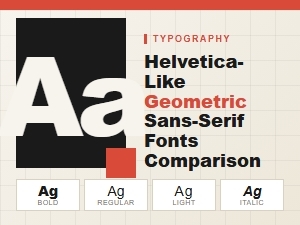 A Guide to Modern Geometric Sans-Serif Fonts
 Helvetica Versus Modern Geometric Sans Typefaces
 The Rise of Modern Geometric Sans Serifs
 Budget-Friendly Alternatives to the Classic Helvetica